
How to Manage Your Subscription in Practice Space
Running a music studio comes with enough moving parts — your software shouldn’t be one of them.
That’s why Practice Space makes it simple to manage your subscription directly from the teacher web app. Whether you’re adding teachers, updating billing details, or choosing the right plan for your studio, everything is designed to be quick and intuitive.
Here’s how it works.
Where to Find Your Subscription Settings
Inside the Practice Space teacher web app, navigate to the Subscription tab on the lefthand side of your screen.
This is your central hub for everything related to your plan. From here, you can:
Manage teacher seats
View and update billing information
Explore and switch plans
Easily Manage Teacher Seats
As your studio grows, you may need to add more teachers to your account. Practice Space makes this flexible.
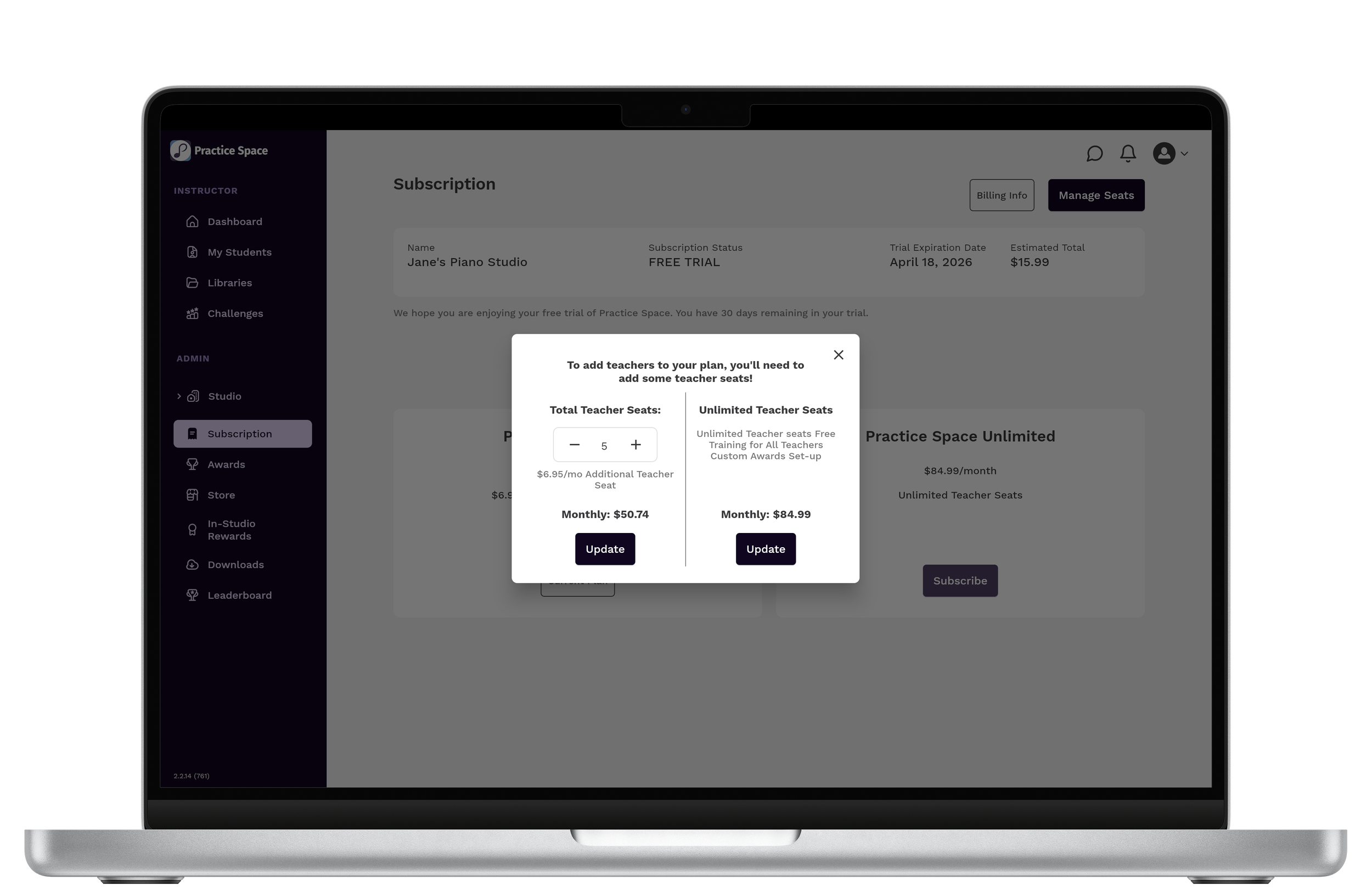
On the Subscription page, click Manage Seats to:
Increase or decrease the number of teacher seats
See your updated monthly cost in real time
Instantly adjust your plan based on your studio size
This means you only pay for what you need — whether you’re a solo teacher or managing a larger team.
View and Update Billing Information
Keeping your billing details up to date is just as simple.
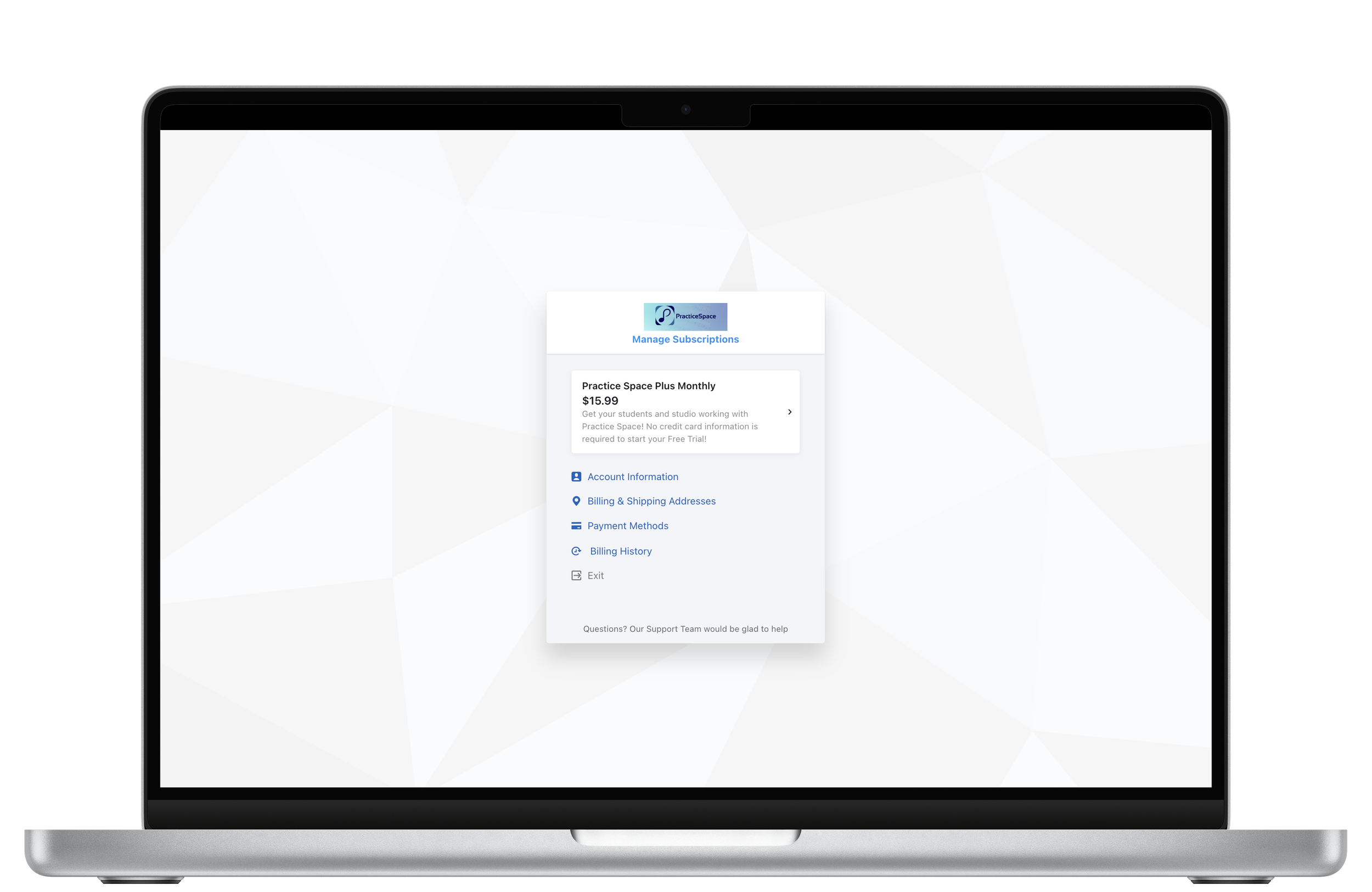
From the Subscription page, click Billing Info to:
Update your payment method
View billing history
Access invoices
Manage account details
Everything is organized in one place so you can quickly find what you need without digging through multiple pages.
Choose the Plan That Fits Your Studio
Practice Space offers flexible options depending on how your studio operates.
You can choose between:
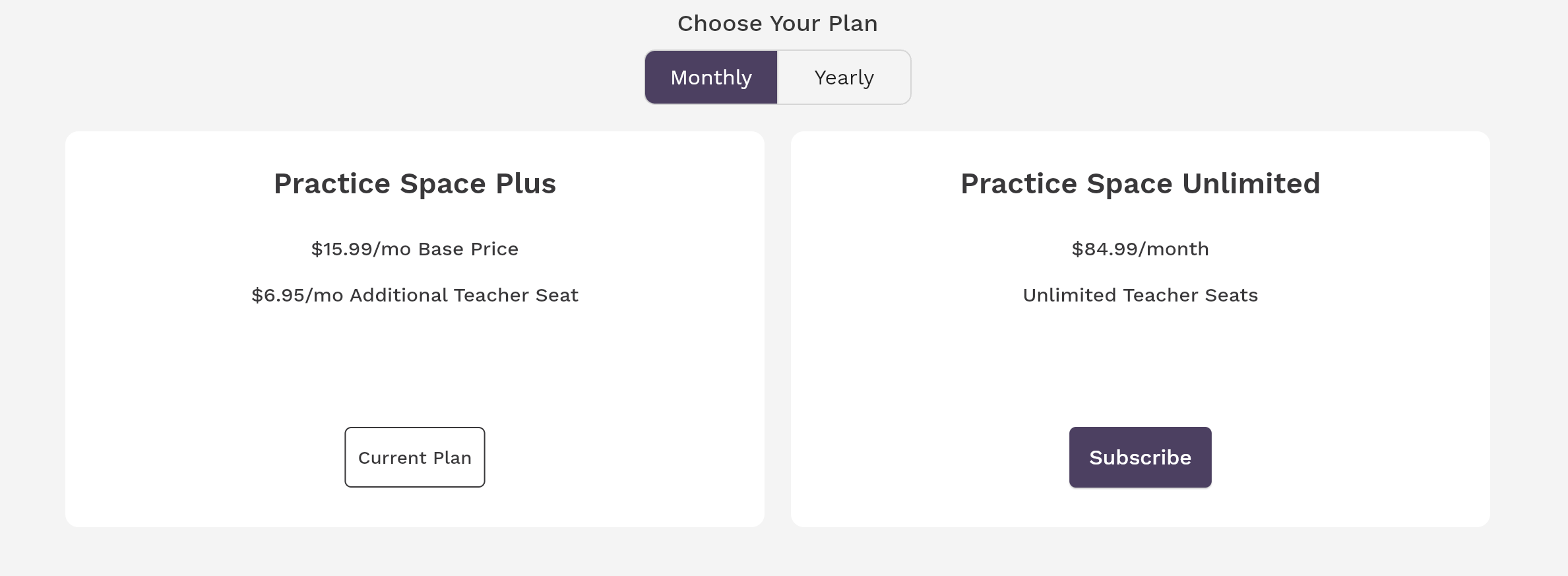
Monthly (Pay Per Seat)
Base price + additional teacher seats
Great for smaller or growing studios
Scale up as you add teachers
Monthly Unlimited
One flat monthly rate
Unlimited teacher seats
Ideal for larger studios
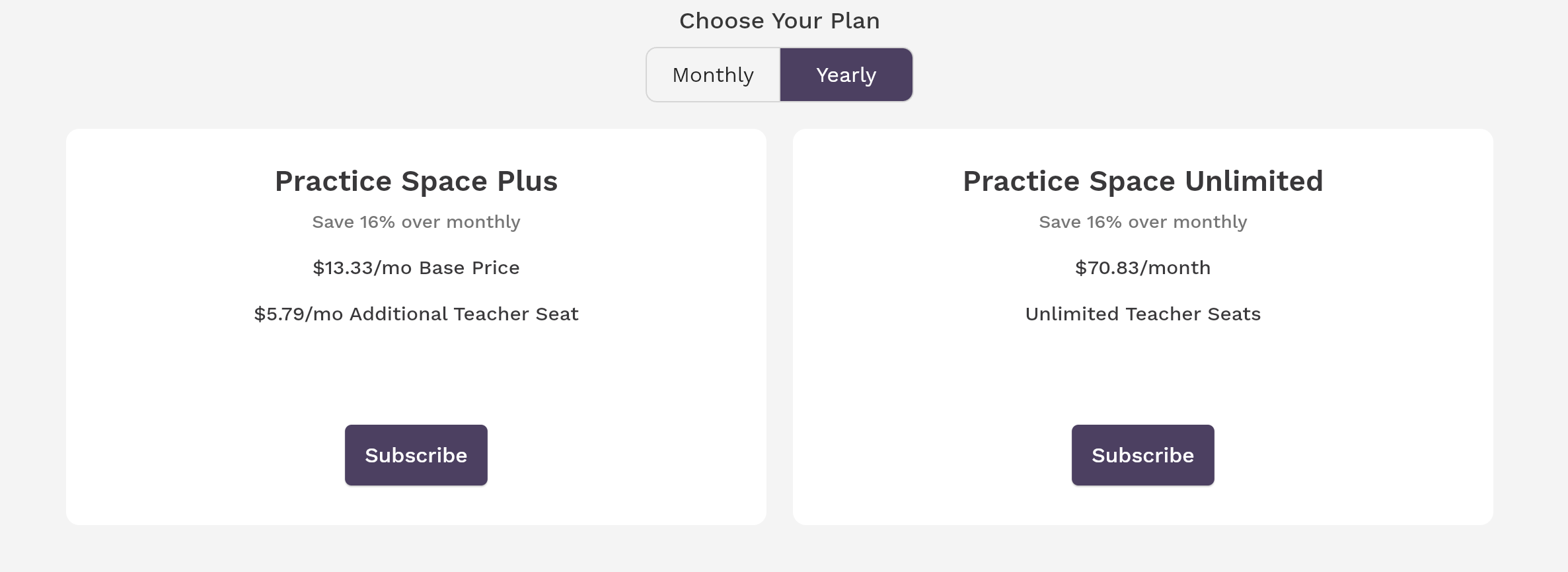
Yearly Plans
Lower cost overall compared to monthly
Same flexibility with added savings
Best for studios planning long-term
Switching between plans is seamless, so you can adjust as your studio evolves.
Built for Flexibility
Music studios change — teachers join, schedules shift, and enrollment grows. Your software should keep up. The goal of Practice Space is to simplify your workflow — not add to it.
By keeping subscription management clear and accessible, you can focus on what matters most:
helping your students stay motivated and make progress.