
How to Track Student and Studio Stats in Practice Space
At Practice Space, we know that consistent progress starts with clear insights. That’s why our platform offers powerful tools for teachers and studio admins to track student engagement, celebrate achievements, and support growth—without getting bogged down in spreadsheets or manual logs.
Whether you want to see how your whole studio is doing or dig into one student’s practice habits, here’s a guide to all the statistics available in the app and where to find them.
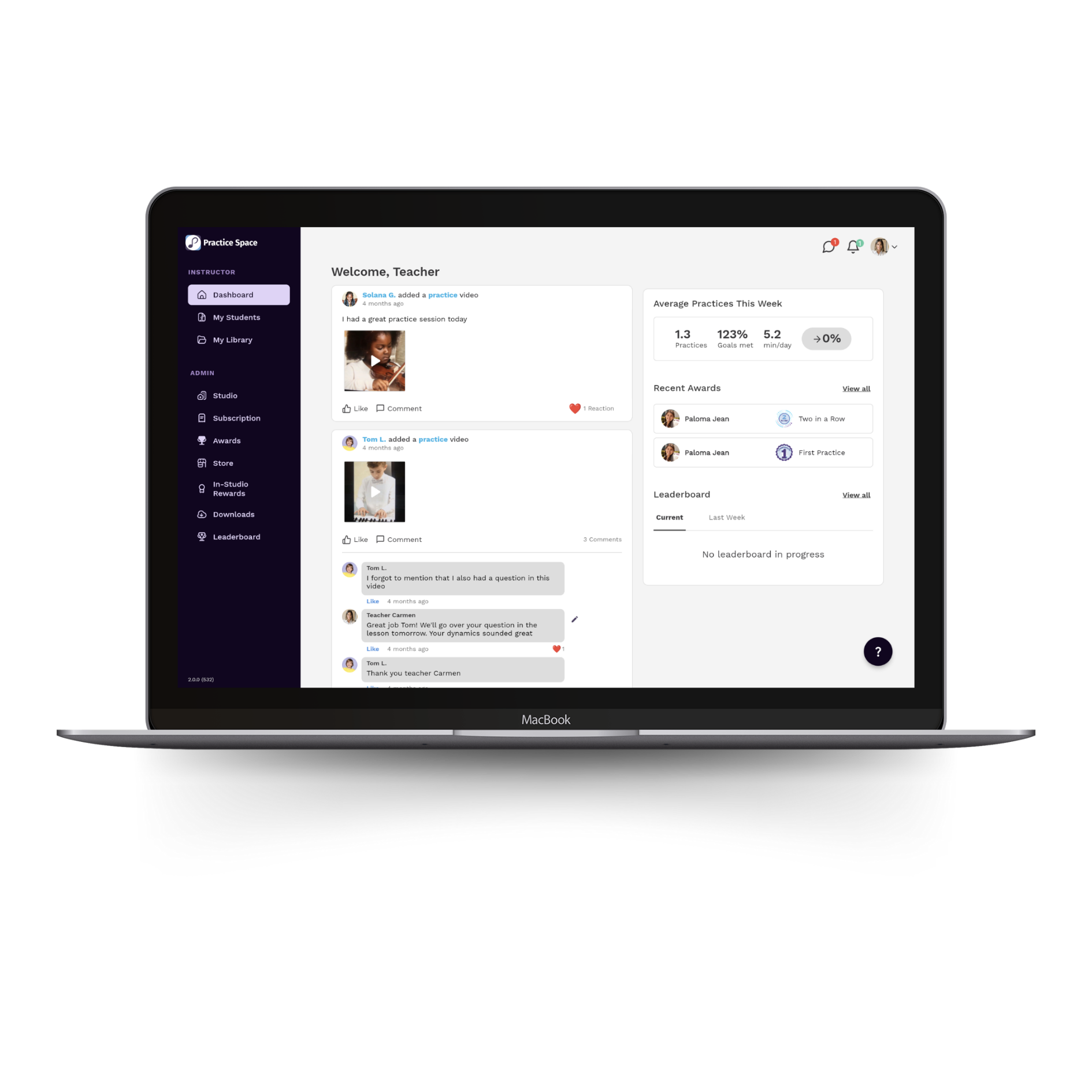
Studio-Wide Insights: The Dashboard
When you log into the Practice Space teacher app, your dashboard gives you an immediate overview of how your studio is doing that week. This includes:
Average Practices This Week - See the collective engagement across your students:
- Number of practice sessions logged
- Percentage of practice goals met
- Average minutes practiced per day
Recent Awards - Instantly view any awards students have earned recently.
Leaderboard Highlights - Stay inspired by seeing the top 3 students for the current week and last week, based on their practice streaks and performance.
This snapshot makes it easy to monitor engagement across your studio and recognize trends or identify students who might need a nudge.
Student-by-Student Stats: Profile View
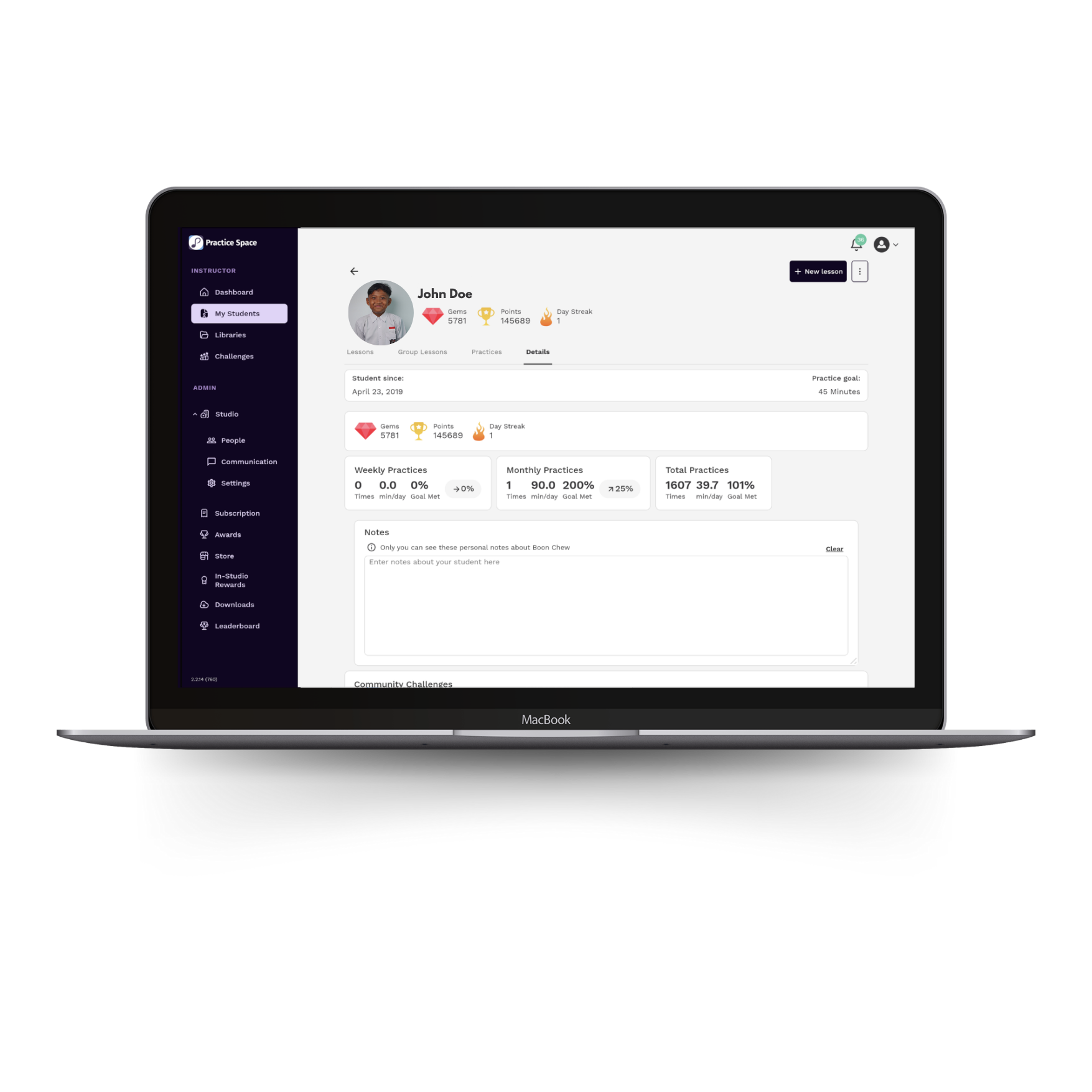
Want to go deeper into an individual student’s practice journey? Head to their profile, where you’ll find a complete view of their history and performance:
Lesson & Practice History
- View all previous individual and group lessons taught by you.
- See logged practice sessions—including what assignments were completed and how many minutes were practiced each time.
Practice Details Tab - This is where the numbers really shine. You’ll find:
- How long the student has been using Practice Space
- Their current practice goal, set by you
- Gem and point totals for gamified motivation
- Current practice streak in days
Practice Stats Overview - Detailed stats to help you assess consistency and growth:
Weekly, Monthly, and Total Practice Stats
- Number of sessions
- Percentage of goals met
- Average minutes practiced per day
Motivation & Achievements
- A list of all Community Challenges the student has completed
- A full collection of individual awards they’ve earned
These tools empower teachers to tailor instruction, share progress with families, and celebrate wins along the way.
Why This Matters
Tracking student and studio-wide data isn’t just for reporting—it helps you spot patterns, customize feedback, and encourage progress. Whether it’s seeing a streak form, noticing a dip in minutes, or identifying a rising star on the leaderboard, these insights can guide conversations and inspire more meaningful engagement.
And best of all, it’s all built right into your Practice Space account—no extra tools required. Try Practice Space for free today!